
Navigation
- Accessing the Dashboard: Click on My Dashboard on your homepage or Dashboard in the side navigation.
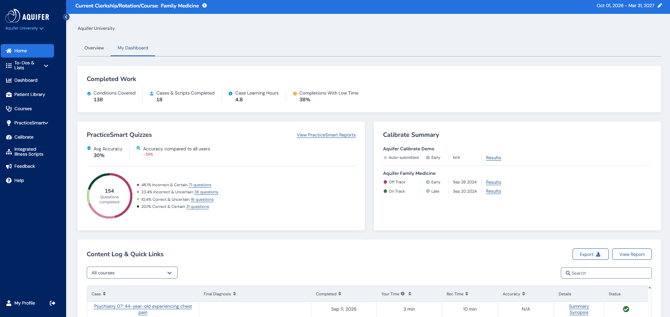
Key Features
Completed Work
Displays a snapshot of completion statistics for all aspects of the Aquifer system:
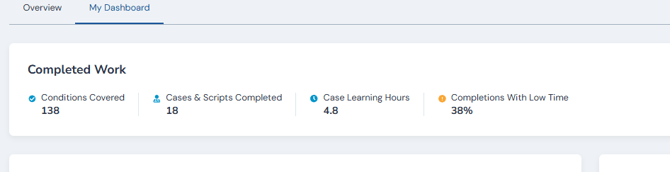
- Number of conditions covered
- Number of cases and scripts completed
- Number of case learning hours (time spent on cases)
- Percent of cases completed with low time
PracticeSmart
This card provides an overview of student performance across all PracticeSmart questions, including:
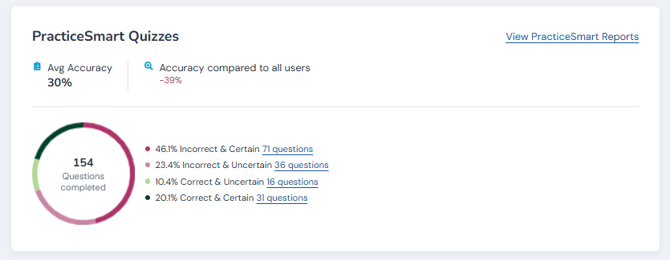
- Number of questions completed
- Accuracy percentage
- Accuracy/certainty quadrant chart
- View more button linking to detailed results
- Toggle to include Reset Questions
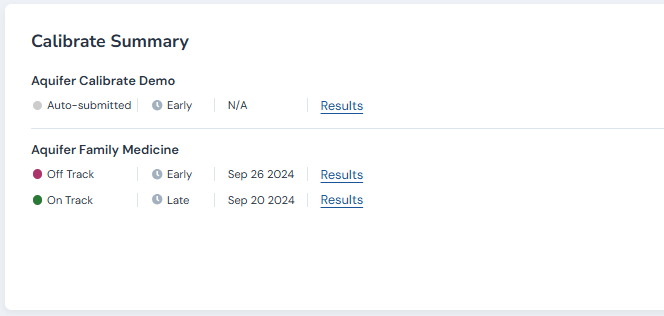
Calibrate Summary
Displays performance in all Calibrate assessments, showing early vs. late performance by discipline, with links to detailed reports. Assessments are listed in chronological order, with indicators and links for detailed results.
Content Log & Quick Links
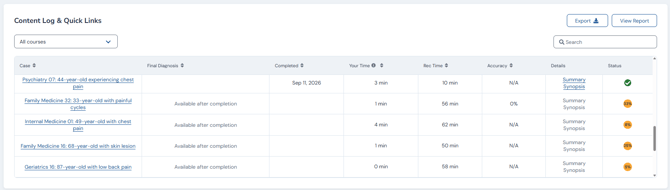
A comprehensive table of all completed or in-progress content, acting as a case log and providing quick links to cases and report. You can also export reports from here. Features include:
- Free text search
- Case list with links
- Final diagnosis, completion date, time spent, recommended time, and PracticeSmart accuracy
- Detailed synopsis and summary links for completed cases (when applicable)
- Export button for data