
Use this table to choose where to start
|
I am looking for... |
Start here |
|---|---|
|
Faculty-assigned work |
To-Do List or Home page |
|
A course from my program |
Courses page |
|
PracticeSmart questions connected to a case |
Course, case sets, To-Do List, or PracticeSmart Quiz Generator |
|
An exam or assessment |
Assessment area |
|
Something I already started |
My Content Log & Quick Links |
Check your To-Do List
Your To-Do List is a powerful tool designed to help you manage your coursework. It's the best place to start when you need to find your assigned work. Your To-Do List is customizable according to your needs and allows you to set completion dates for your tasks and add any notes you'd like. Faculty-assigned cases from your assigned courses will populate there automatically. You will also see content you added yourself, such as cases, questions, or review items. Learn more about your To-Do List.
- You can see your To-Do's on your Home page, to view more you can click View All To-Do's or move to Step 2.
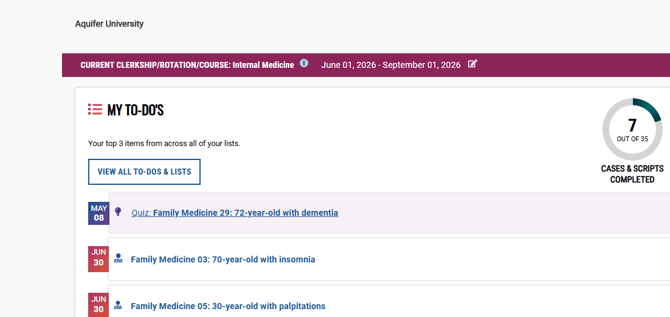
- Select To-Do List from the left-hand menu.
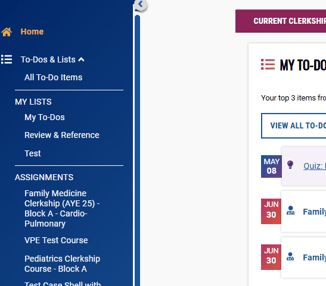
- Review the items listed.
- Select an item to open it.
- Complete or continue the activity.
Check Your Courses
- Select Courses from the left-hand menu.
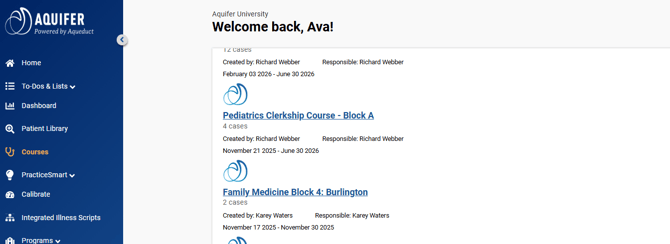
- Find the course connected to your clerkship, rotation, or class.
- Open the course.
- Review the required or available content.
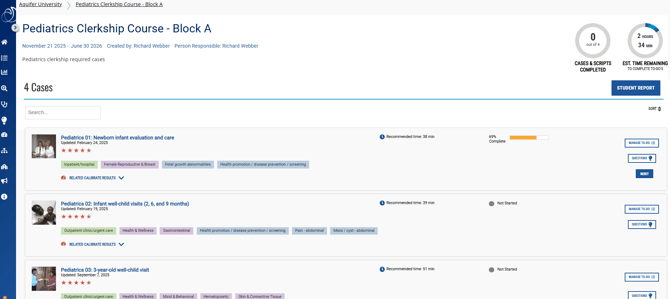
- Select the case, script, or activity you need to complete.
Use My Content Log & Quick Links to return to in-progress work
- Go to your Home page.
- Open Dashboard.
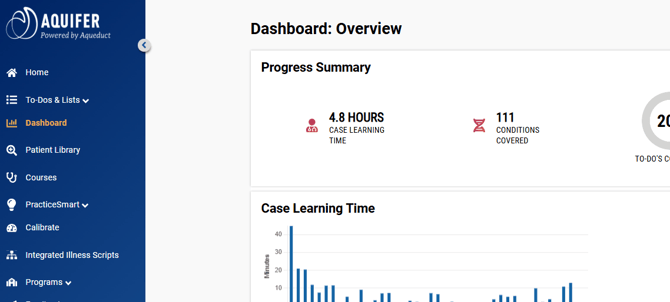
- Scroll to My Content Log & Quick Links.
- Look for completed or in-progress content. You can use the search bar our the Course dropdown filter to help narrow down your results.

- Select the item you want to review or continue.
Troubleshooting issues finding your assigned work
What do I do if I don't see my assigned work?
- Refresh the page.
- Check your Home page, To-Do List, Courses, Assessment area, Patient Library, and My Content Log.
- Confirm that you are signed in with your institutional email address.
- If you belong to more than one program, check that you are viewing the correct program.
- Contact your course director, clerkship coordinator, or program administrator to confirm the assignment.
- If your program confirms that the assignment is available and you still cannot see it, contact Aquifer Support.
Where do I find my assigned cases or courses?
Start from your Home page and look for your assigned course, case set, or activity. You may also find assigned or saved work in your To-Do List. If you are not sure where your program expects you to work, check your course instructions or contact your course director or coordinator.
What is the difference between assigned work and the Patient Library?
Assigned work is content your program expects you to complete. The Patient Library lets you search across available cases, including cases that may not be required for your course. Use assigned work for required activities, and use the Patient Library for additional study, rotation preparation, or targeted review.
What is the To-Do List used for?
The To-Do List helps you keep track of cases assigned by your educator/coordinator or activities you want to return to later. Depending on your course setup, it may include assigned items, saved cases, related cases from results, or items you added for self-study.
Where do I go to continue a case I already started?
Look for the case from your Home page, assigned course, To-Do List, or My Content Log. Open the case and continue from the last saved point.
Where can I see my completed cases?
You can review completed cases through progress tracking tools such as My Content Log or your course report.
What should I do if an assigned activity is missing?
First, check your Home page, assigned course, To-Do List, and any course instructions from your program. If the activity is still missing, contact your course director, coordinator, or program administrator to confirm the assignment.