
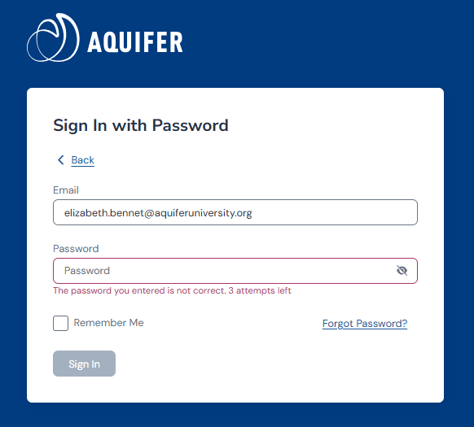
1. When you type in an incorrect password, you will be notified of how many login attempts you have until your account will lock.
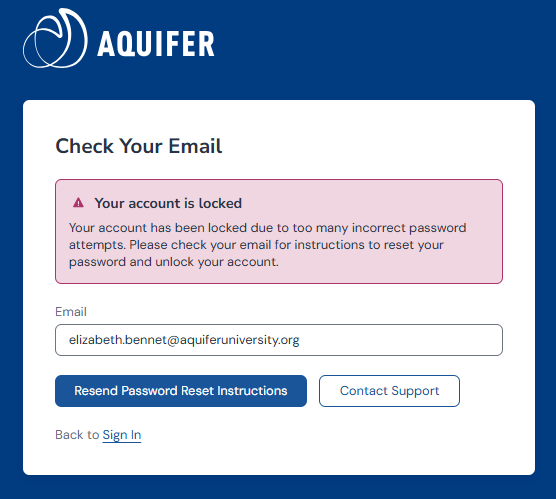
2. After 4 failed attempts, you will be notified that your account is locked and an email is automatically sent to your address with steps to reset your password. If you do not receive the instructions right away, you can use the button to resend the password reset instructions.
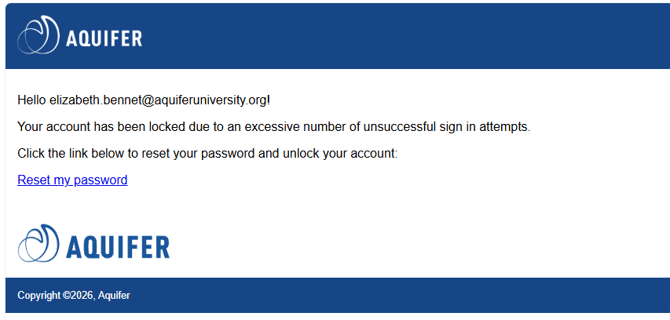
3. In your password reset email, please click on the link Reset my password to update your password and access your account.
4. After resetting your password, you'll be prompted to log in with your new password. Be sure to use the new password when logging in.
If you do not receive an email with a link to unlock your account, please submit a support ticket to Aquifer Support.