Skip to content
English - United States
  • There are no suggestions because the search field is empty.

Resetting Your Password

Forgot your password? It's quick and easy to regain access to your Aquifer courses. Follow our step-by-step instructions to get back on track.


Current Password Policy :

  • Passwords must be at least 12 characters long.

  • Passwords must contain at least one uppercase alpha character (A-Z).

  • Passwords must contain at least one lowercase alpha character (a-z).

  • Passwords must contain at least one number. 

  • Passwords may not contain part of the username, first name, last name.

  • Users may not reuse passwords.

  • Accounts are locked after 5 failed login attempts.

  • Passwords must be changed at least every 180 days. If it is not changed, the system will send you an automated email to change your email address. If you're unable to locate this email, contact Aquifer Support. 

Reset your password

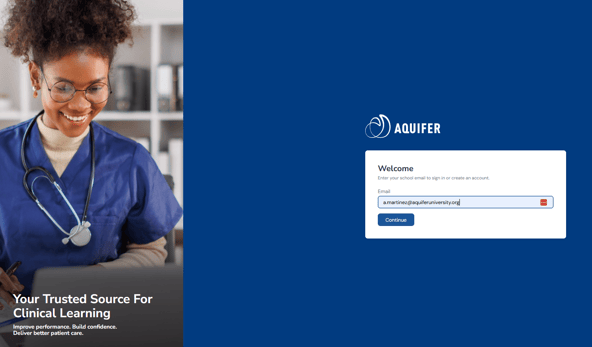
1. If you forget your password, Aquifer can help you regain access to your courses and information right away. From the Sign In page, click the Forgot Password link.

2. You will be brought to a page where you can enter your Account email address. After entering your email address, click "Send me instructions to set my password."

3. You will receive an email with instructions to reset your password. If you do not see this email, check your spam mailbox. Follow the instructions in the email to reset your password. Click the link to reset your password.

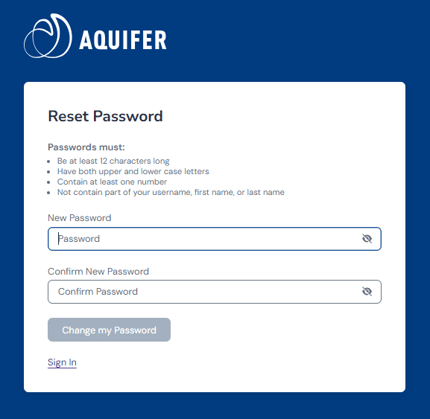
4. You will then be brought to a page where you can reset your password. Please put in your new password twice to confirm and click on "Change my password." You will then be logged in with your new password.

Enter New Password
 

Resetting your password FAQs

My email address isn't recognized/I'm seeing an error that I need to register but I've already registered

  1. Confirm that you are using the correct official institutional email address, particularly if you have multiple institutional email addresses. If you're registered to a program, you can check with your to confirm what email address is associated with your account.
  2. Try logging in again carefully, checking for typos and making sure to keep the Registration area clear.
  3. If your program confirms your access and the issue continues, contact Aquifer Support.

My account is locked

Follow the steps in this article.